Forward mail to another address
An inbox rule that automatically redirects every incoming message elsewhere.
Open settings
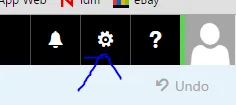
Open Bar-Ilan mail and click the gear icon in the top corner.
Go to Inbox rules
In the settings search box type
inbox rulesand click the result.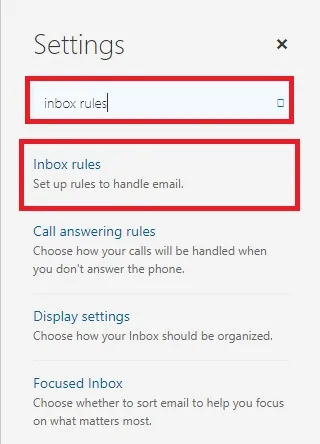
Create a rule
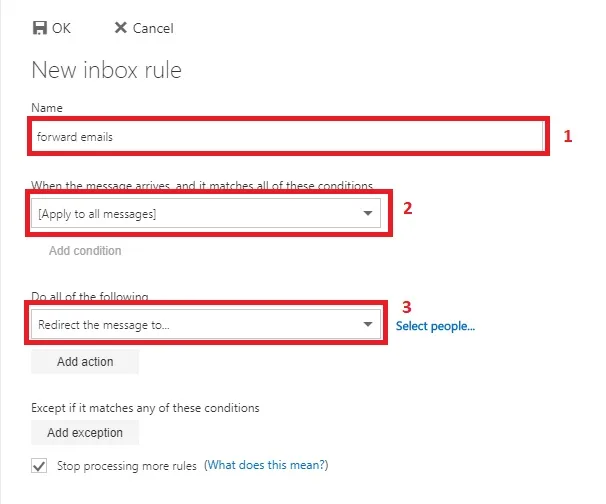
Click + and fill the form:
- Name — anything you like.
- When the message arrives — apply to all messages.
- Do all of the following — forward, redirect or send → redirect the message to.
Enter the target address and save
Type the destination address, press Enter, then Save and OK.
Note — Redirected messages still stay in the Bar-Ilan mailbox. If the quota fills up, new mail will bounce.
Updated September 2026